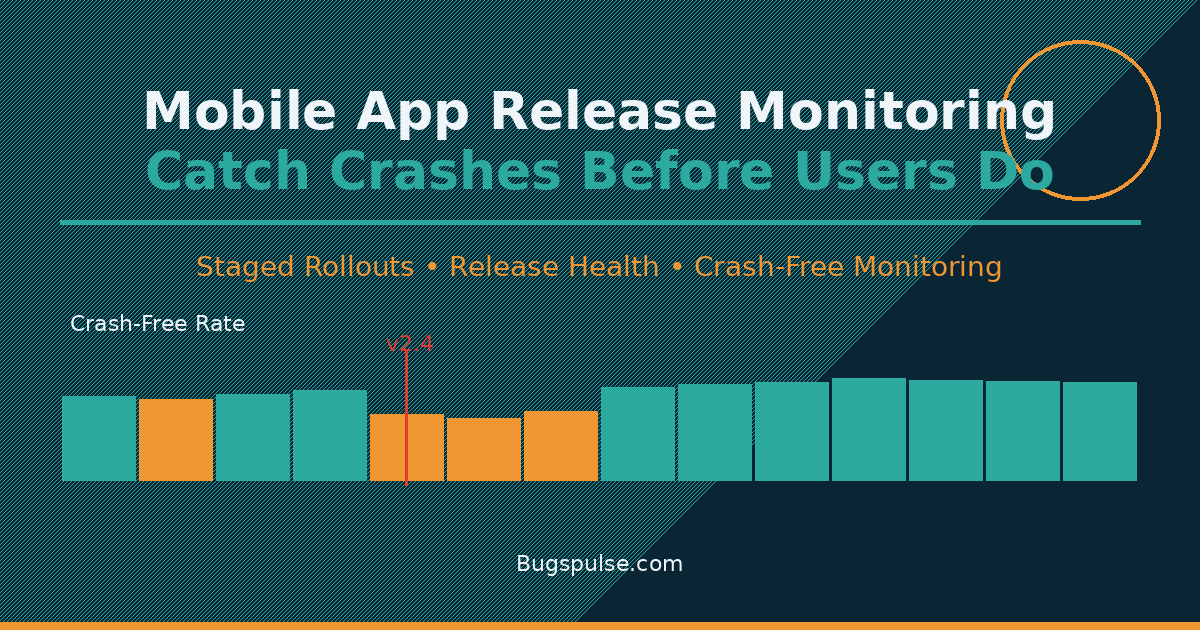
Release Monitoring: Catch Crashes Early
Every mobile developer knows the feeling: you ship an update, go to sleep, and wake up to a flood of one-star reviews and crash reports. Your crash-free rate just tanked from 99.5% to 94%, and half a million users already downloaded the broken build. By the time you roll back, the damage is done. Mobile app release monitoring exists to prevent exactly this nightmare — catching regressions during staged rollouts before they reach your entire user base.
In this guide, you'll learn how to set up mobile app release monitoring, which metrics actually matter during a rollout, and how to integrate crash detection into your release workflow so you never ship a catastrophic bug to 100% of users again.
Why Release Monitoring Matters More Than Crash Reporting Alone
Crash reporting tools tell you what went wrong after users experience problems. Release monitoring gives you the data to stop a bad release while it's rolling out. These are complementary but distinct practices.
Consider the math: if you release to 100% of users immediately and introduce a crash affecting 5% of sessions, you've just impacted your entire user base. With a staged rollout — 10% on day one, 50% on day two, 100% on day three — you catch that 5% crash rate when only 10% of users are affected. You pause the rollout, fix the bug, and the other 90% never see it. This is what mobile app release monitoring enables: data-driven rollout decisions instead of crossing your fingers.
Google Play's Android vitals and Apple's App Store Connect analytics both provide basic crash data, but dedicated release monitoring tools give you real-time visibility during the critical rollout window. The difference between reacting to reviews and proactively pausing a release is often just a few hours of monitoring data.
Key Metrics for Mobile App Release Monitoring
Not all metrics are equally useful during a release. Here are the ones that actually matter when you're watching a staged rollout:
Crash-Free Session Rate
The most important metric during any release. If your crash-free rate drops more than 0.2% after a release, investigate immediately. Tools like BugsPulse track this in real-time, letting you compare the new version's crash-free rate against the previous stable release. A study by Google found that apps with crash rates above 1% see significantly lower user retention and worse Play Store rankings.
ANR Rate (Android) and Hang Rate (iOS)
Application Not Responding (ANR) events on Android and main thread hangs on iOS are often precursors to crashes. A spike in ANR rate during rollout is an early warning signal. We've covered this in depth in our Android ANR Detection and Prevention guide, which walks through identifying and fixing the root causes before they become crashes.
New Crash Groups
A single new crash signature appearing in your release is far more actionable than a general "crash rate up" alert. Modern tools should automatically surface novel crash groups — crashes that didn't exist in the previous version. This is the difference between "something's wrong" and "the new payment flow crashes on devices running iOS 17.4 with Arabic locale."
Adoption Rate vs. Crash Rate
Plot adoption rate (what percentage of users are on the new version) against crash rate. If crash rate climbs proportionally with adoption, that's a release-level regression. If it's flat, the crashes are baseline noise. This correlation analysis saves you from chasing false alarms.
Setting Up Release Monitoring: A Practical Workflow
Here's a step-by-step release monitoring workflow used by mobile teams shipping to millions of users.
Step 1: Configure Staged Rollouts
Both app stores support phased releases. On Google Play, use the "Staged rollout" option and start at 10%. On App Store Connect, use "Phased release" which automatically rolls out over 7 days. Resist the temptation to ship at 100% — the 10% window is your safety net.
// Example: Fastlane configuration for staged rollout
lane :beta do
  upload_to_play_store(
    track: 'production',
    rollout: '0.10',  // Start at 10%
    release_status: 'inProgress'
  )
end
Step 2: Instrument Your App for Release-Level Tracking
Your crash reporting SDK must know which release version a user is running. This seems obvious, but many teams don't correlate crashes to specific releases programmatically. With BugsPulse, you can set the release version at initialization:
// Flutter: Set release version for monitoring
await BugsPulse.init(
  apiKey: 'your-api-key',
  releaseVersion: '2.4.1',
  environment: 'production',
);
Step 3: Define Your Monitoring Window
For a 10% rollout, monitor for at least 4-6 hours before increasing to 50%. For major releases or refactors, extend this to 24 hours. The monitoring window duration should scale with your user base — an app with 10 million users generates statistically significant data faster than one with 10,000.
Step 4: Set Alert Thresholds
Configure automated alerts based on these thresholds:
| Metric | Warning Threshold | Critical Threshold |
|---|---|---|
| Crash-free rate drop | > 0.2% | > 0.5% |
| New crash group count | > 1 | > 3 |
| ANR rate increase | > 0.1% | > 0.3% |
Step 5: The Rollout Decision Matrix
When an alert fires, here's how to respond:
- New crash group + low crash-free impact: Investigate but continue rollout
- Crash-free rate drop + no new groups: Check infrastructure, third-party SDKs, or backend changes
- Both new groups AND crash-free drop: Pause rollout immediately, identify root cause
- ANR spike without crashes: Check main thread work, likely a performance regression
Integrating Release Monitoring into CI/CD
Your CI/CD pipeline should be the bridge between building and monitoring. Here's a practical integration pattern:
name: Release Monitoring
on:
  workflow_run:
    workflows: ["Deploy to Production"]
    types: [completed]

jobs:
  monitor-release:
    runs-on: ubuntu-latest
    steps:
      - name: Wait for initial data
        run: sleep 3600  # 1 hour of data collection
      - name: Check crash-free rate
        run: |
          CRASH_FREE=$(curl -s https://api.bugspulse.com/releases/latest/health | jq '.crashFreeRate')
          if (( $(echo "$CRASH_FREE < 99.5" | bc -l) )); then
            echo "WARNING: Crash-free rate below 99.5%: $CRASH_FREE%"
            # Trigger alert (Slack, PagerDuty, etc.)
          fi
We covered deeper CI/CD crash reporting integration in our Mobile CI/CD Crash Reporting Integration Guide, including how to block deployments when crash thresholds are breached.
Tool Comparison: Release Monitoring Features
Different crash reporting tools offer varying levels of release monitoring support. Here's what to look for:
- Real-time release dashboards: Compare crash metrics between your new release and the previous stable version side by side. This is the minimum viable release monitoring feature.
- Automatic regression detection: The tool should flag statistically significant regressions without manual threshold configuration.
- Release adoption tracking: See what percentage of your users are on each version, correlated with crash data.
- Session-level release attribution: Every crash should be tagged with the release version and build number.
According to Firebase's documentation, Crashlytics provides release-level crash comparisons. Sentry's release health offers similar functionality with adoption tracking. The key differentiator for privacy-first tools like BugsPulse is that release monitoring data is collected without PII, keeping you compliant with GDPR and CCPA while still getting the release visibility you need.
Common Release Monitoring Pitfalls
Slow Rollout Impatience
The most common mistake: increasing rollout percentage too quickly. A 10% rollout that runs for 30 minutes tells you nothing — you need enough sessions to reach statistical significance. A good rule of thumb: wait until you have at least 10,000 sessions on the new version before increasing rollout.
Ignoring Device and OS Fragmentation
A release might look clean at 10% because you're hitting a homogeneous subset of devices. As you expand to 50%, you reach users on older devices, different OS versions, and varied network conditions. Monitor crash rates segmented by device model and OS version during rollout.
Confusing Baseline Crashes with Regressions
Every app has a baseline crash rate — typically 0.1% to 1% depending on complexity. Don't treat every crash during rollout as a regression. Focus on the delta: what's new compared to the previous release. Tools that surface only new crash groups during the monitoring window are invaluable here.
Skipping the Rollback Plan
Before you start any rollout, have a rollback plan. On Google Play, you can halt a staged release instantly. On iOS, you can remove a version from sale, but users who already downloaded it keep it — making phased releases on iOS even more critical. Document the rollback process: who has access, how long it takes, and how to communicate the rollback to users.
Building a Release Health Culture
Release monitoring isn't just a tool — it's a team practice. The best mobile teams treat release health as a shared responsibility:
- Developers monitor the first 4 hours after their code ships
- QA verifies crash-free rates against their test coverage
- Product managers make the go/no-go call on rollout expansion
- Customer support watches for incoming crash-related complaints as a secondary signal
A Forrester report on mobile app quality found that teams with formal release monitoring processes ship 40% fewer critical incidents than those relying on ad-hoc crash checking. The report also noted that privacy-conscious monitoring solutions are increasingly important as regulations tighten globally.
Privacy Considerations in Release Monitoring
If you're collecting crash data during releases, you're also collecting whatever data comes with those crashes. Screenshots, user paths, and session data often contain PII. This is why zero-PII mobile analytics approaches matter. Release monitoring shouldn't require you to compromise on user privacy.
BugsPulse's release monitoring surfaces the same critical metrics — crash-free rate, new crash groups, ANR trends — without collecting personal data. You get the release visibility without the privacy liability. The platform automatically redacts sensitive information from crash reports and session replays, making it suitable even for apps operating under HIPAA requirements.
What to Do When Release Monitoring Catches a Problem
When your release monitoring flags a regression, follow this triage checklist:
- Pause the rollout — Stop at current percentage immediately
- Identify the crash signature — Is it a specific device, OS version, or user flow?
- Reproduce locally — Can you trigger the crash on a test device with the same conditions?
- Ship a hotfix — If the root cause is clear, prepare a patch release
- Resume rollout at 10% — Treat the hotfix as a new release with its own monitoring window
- Post-mortem — Document what the release monitoring caught, how fast you responded, and how to prevent similar regressions
The teams that handle release incidents best aren't the ones with zero bugs — they're the ones that detect and fix bugs before significant user impact. Mobile app release monitoring is the infrastructure that makes this possible.
Conclusion
Shipping mobile app updates without release monitoring is like driving without brakes — you're fine until you need to stop. Staged rollouts, real-time crash-free rate tracking, and automated regression detection turn the chaotic "ship and pray" approach into a controlled, data-driven process.
Start small: configure a 10% staged rollout for your next release, set up crash-free rate monitoring, and commit to watching the data for at least 4 hours before expanding. The peace of mind alone is worth the setup time.
Ready to add release monitoring to your mobile app stack? Start monitoring your releases with BugsPulse today — set up in under 5 minutes with full release health dashboards and zero-PII crash reporting for both Android and iOS.